On this page
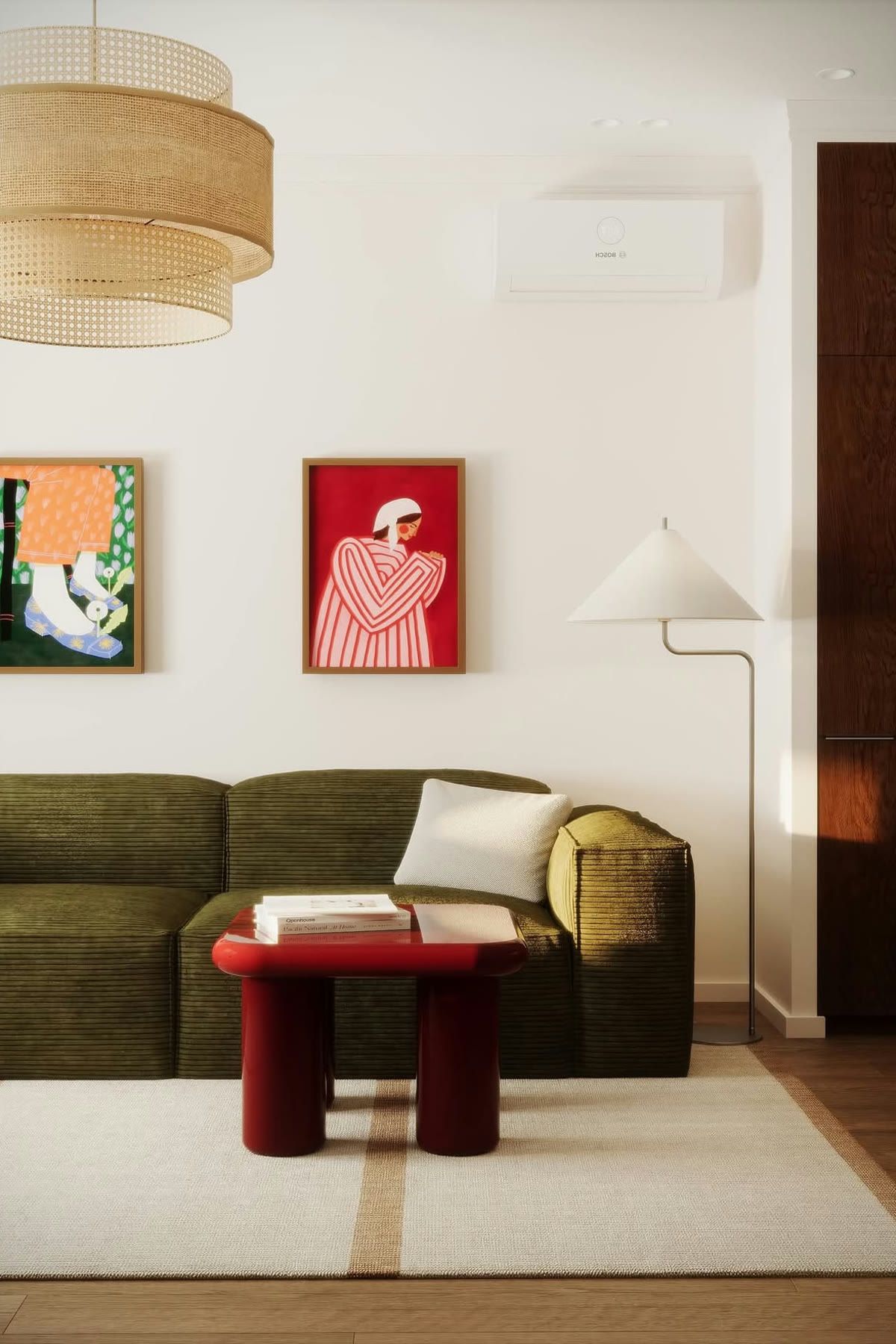
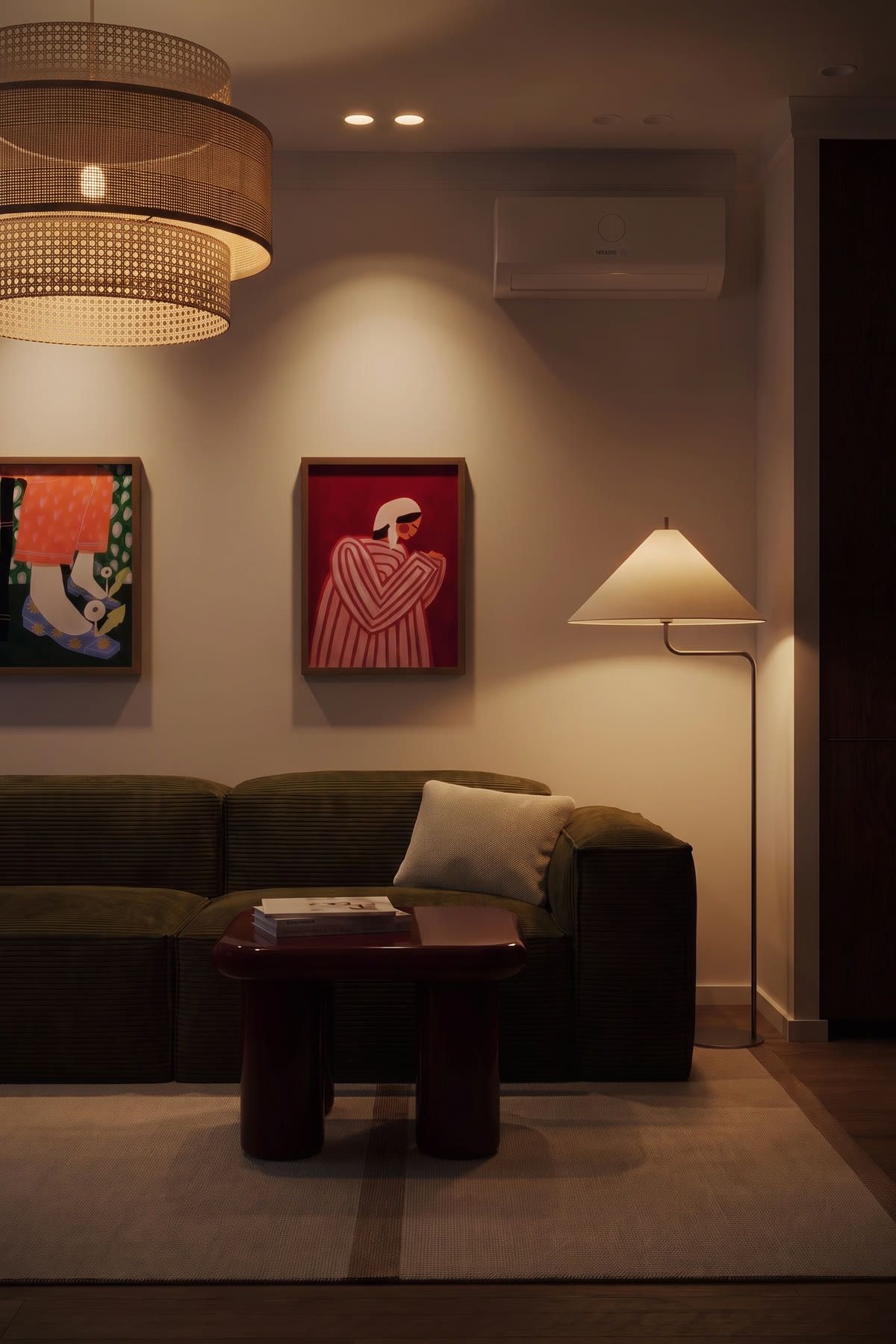
A home photographed at noon looks clean. The same home at dusk, with the lamps on and a warm glow in the windows, looks like somewhere you want to live. Real estate photographers call it a twilight shot, and it usually means coming back at sunset for a second shoot.
With AI Relight, you can create a virtual twilight version of an interior from the daytime photo you already have. This guide shows how.
How does Relight work?
Relight gives you control of the light in a photo of a room:
- Time of day: Morning, Afternoon, Evening or Night.
- Direct light: the main light in the scene, with intensity and colour.
- Indirect light: softer light from lamps and hidden strips, placed automatically or where you click.
- Colour: Warm, Neutral, Cool, or any colour you pick.
- Style: the original look, or an Editorial look for a more styled, magazine feel.
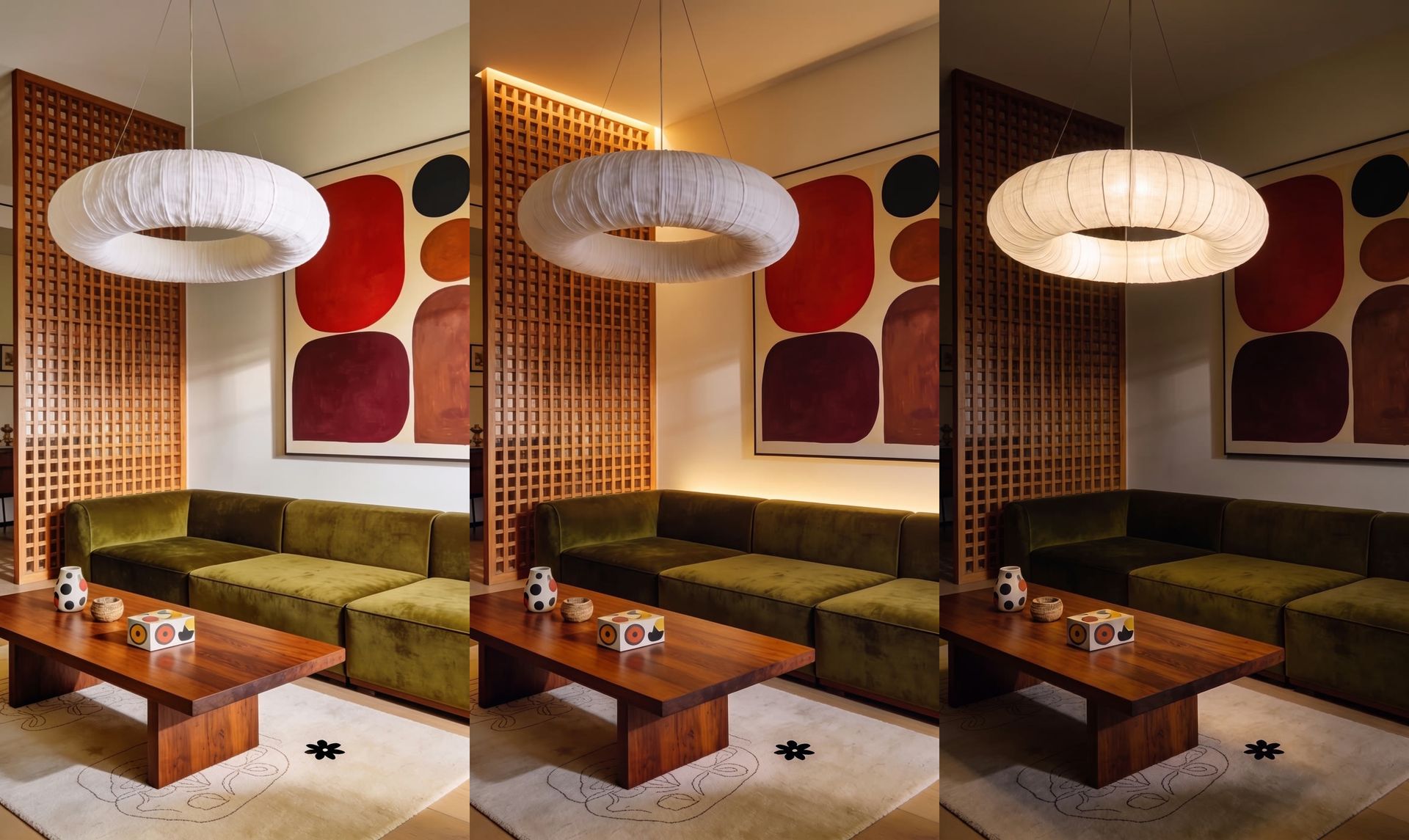
A slider view lets you compare the original and relit versions.
How do I make a day-to-dusk photo step by step?
- Open Relight and upload your interior photo (up to 50 MB), or pick one from your library.
- Set Time of day to Evening for a dusk glow, or Night for a dark sky and fully lit interior.
- Raise the indirect light and set it to Warm. Let Lupa place the lights automatically, or switch to Set position and click where lamps and light strips should be.
- Lower the direct light a little so the room doesn't look like midday.
- Optional: generate the Editorial style for a more polished look.
- Download, or Upscale to 4K from the menu.
Which photos work best for virtual twilight?
Relight works on any interior, but some photos give much better twilight results:
- Rooms with visible windows. The change of light outside is what sells the time of day. A room with no window can look relit rather than "at dusk".
- Rooms with real light fittings. Pendant lamps, wall lights and table lamps give the relight believable sources for warm light.
- Well-exposed originals. Dark, noisy photos get darker at night. Start from a bright, clean daytime shot.
- Living rooms, bedrooms and terraces. These are the rooms buyers picture in the evening. Kitchens and bathrooms rarely need a twilight version.
If you're shooting new photos with twilight in mind, turn on every lamp, open the curtains and shoot a few minutes before sunset. You'll get a photo that works both as-is and as a starting point for Relight.
How much does Relight cost?
A relight costs 60 tokens, or 80 tokens if you also generate the Editorial style (the style on its own adds 20). If a relight fails, the tokens are refunded automatically.
Tips for convincing virtual twilight
- Start with the lights on. A photo where the lamps were already on gives the AI real light sources to work with.
- Warm inside, cool outside. Twilight looks right when interior light is warm and the window shows a cooler blue sky.
- Don't overdo it. Too much indirect light makes a room look like a nightclub. Adjust intensity until the room still looks real.
- Keep it honest. Twilight is a mood, not a renovation: don't add fixtures or features the property doesn't have.
- Label edited photos in your listing if your market or portal requires it.
Can I turn a twilight photo into a video?
Yes. From the result, use Animate to bring it into the video generator, or add the relit photo as a scene in Space Motion with the rest of the property. A tour that ends on a warmly lit living room at dusk makes a strong closing shot. See how to make a real estate video from photos.
If the room is empty, stage it first (see virtual staging video), then relight the staged photo. More workflows live in Real Estate & Interiors.
Still have questions?
What is a virtual twilight photo?
A daytime photo edited to look like it was taken at dusk, with warm interior lights on. In real estate, it makes a property feel inviting without a second photo shoot.
Can Relight change the time of day of an interior photo?
Yes. Choose Morning, Afternoon, Evening or Night, then adjust the direct and indirect lights and their colour.
Is Relight available on every plan?
Yes. Relight is available on every plan, and the cost is shown before you generate.
Can I turn the relit photo into a video?
Yes. Use Animate from the result, or use the relit photo as a scene in Space Motion.