 Mateo Fuster-Fabra Pierre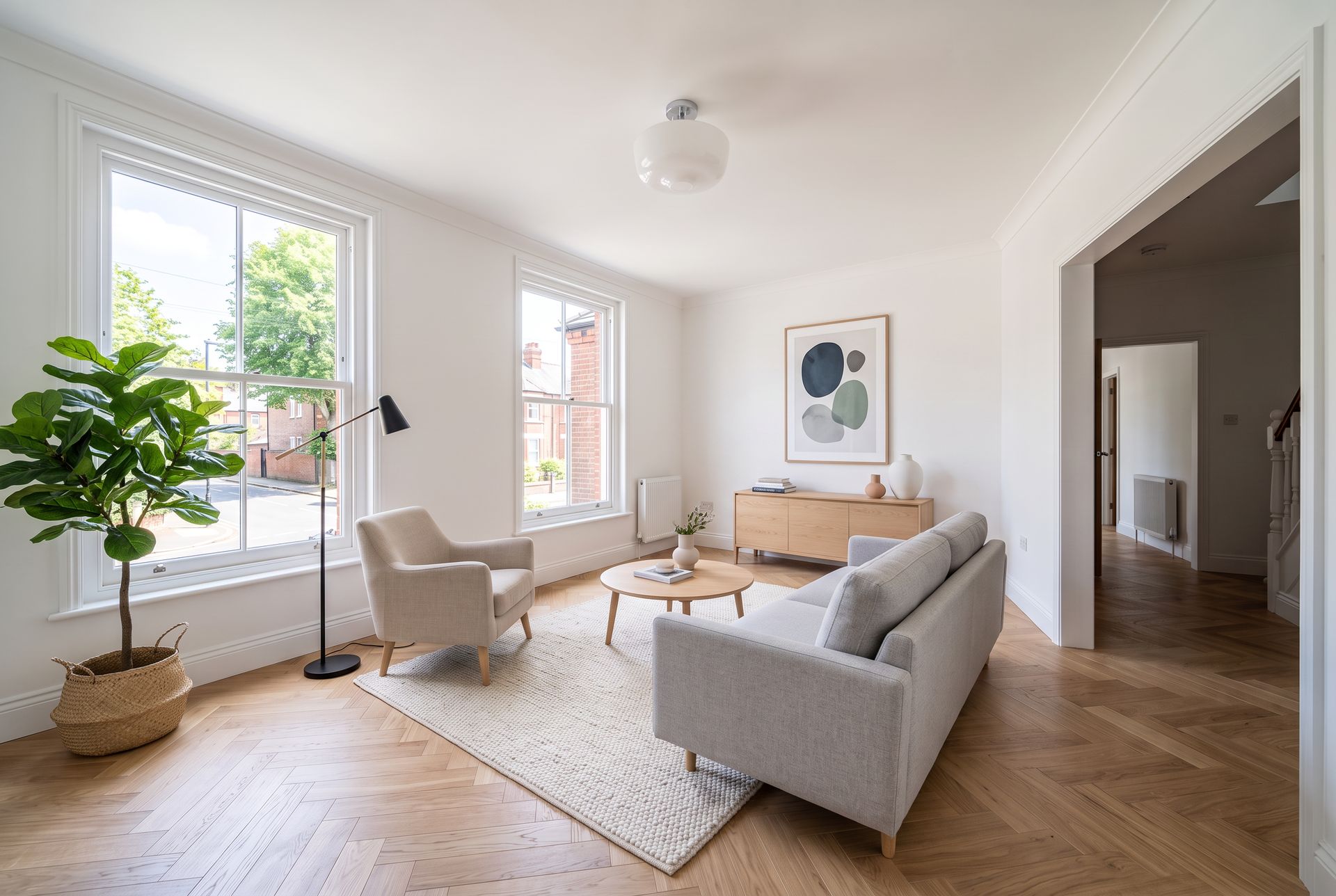
On this page
- What is virtual staging?
- Does virtual staging help sell a home?
- How much does virtual staging cost?
- How do I virtually stage a photo with Lupa AI?
- Which photo works best for virtual staging?
- Which prompts work best for virtual staging?
- How do I check that the staging is accurate?
- Do I have to disclose virtual staging?
- What else can I do with a staged photo?
Empty rooms photograph badly. They look smaller than they are, buyers cannot tell where the sofa or the bed goes, and the listing gets scrolled past. Physical staging fixes that, but it means renting furniture, moving it in and paying for it every month the home is on the market. This guide shows how to virtually stage a room with AI: which photo to start from, the prompts to use, how to keep the room itself unchanged, what it costs and the disclosure rules you need to follow.
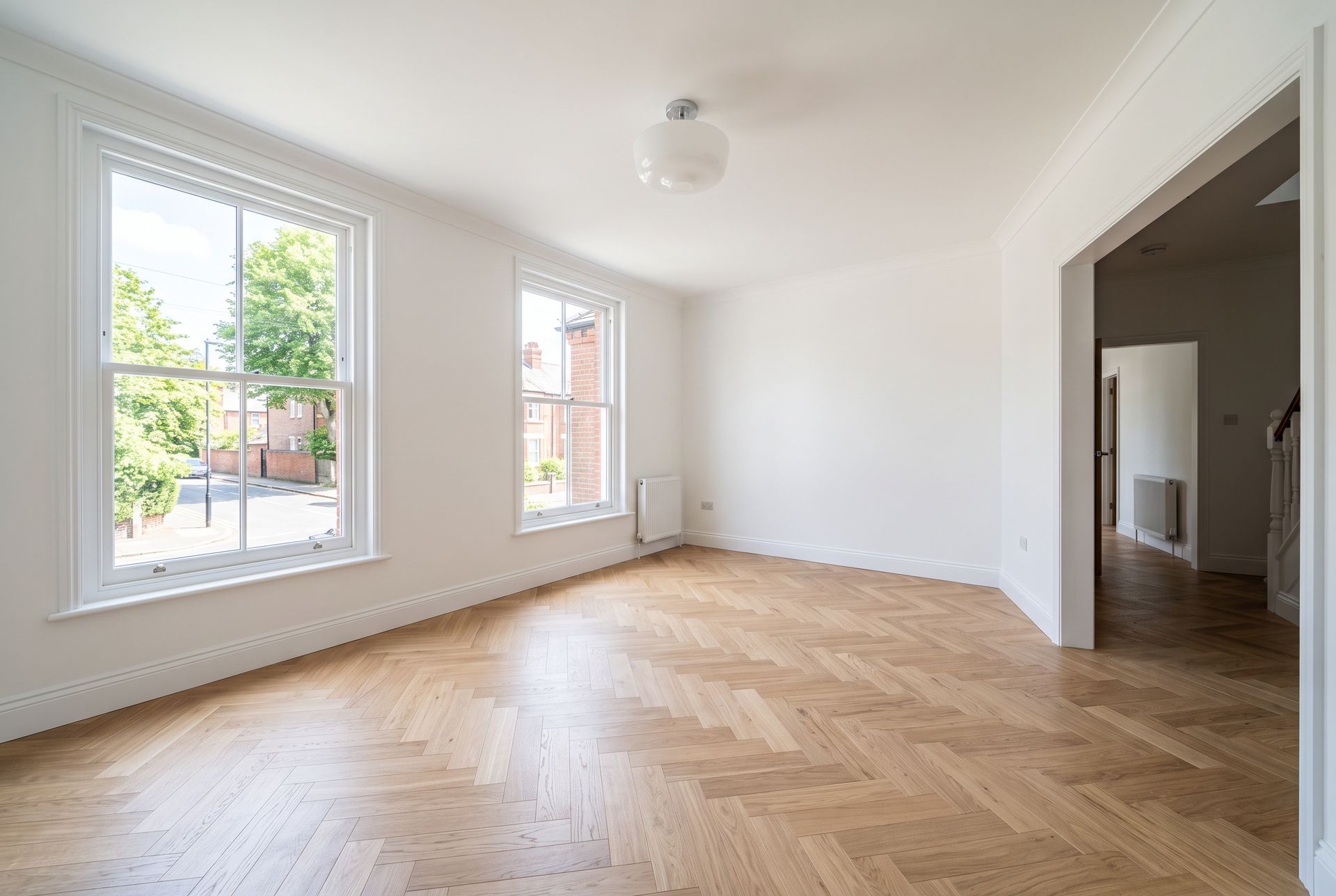
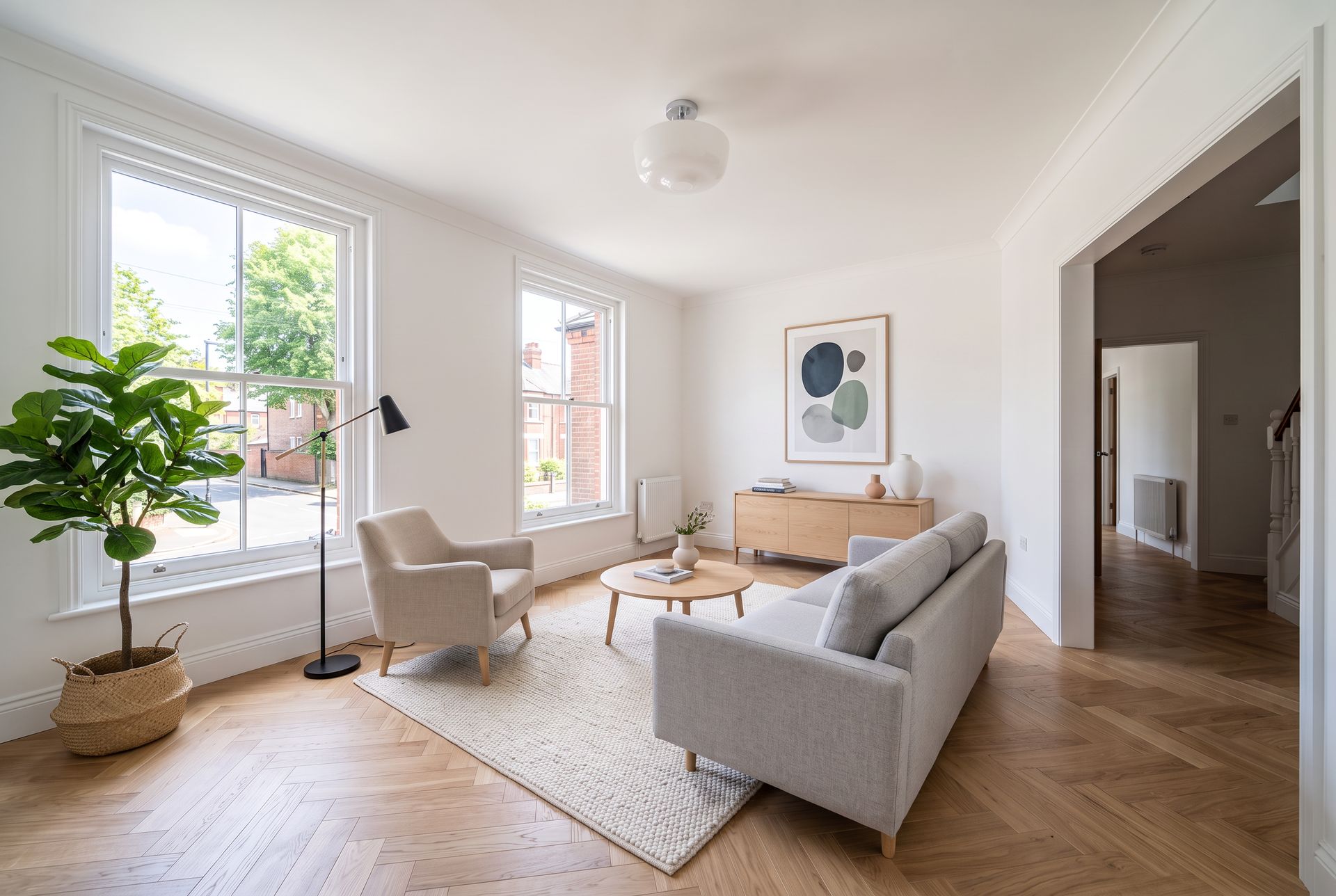
Example photos created for this guide. Left: The empty room. Right: The same photo virtually staged in Lupa AI Image Editing with Nano Banana 2, for 15 tokens. Walls, windows, radiators, floor and door opening are unchanged.
What is virtual staging?
Virtual staging adds furniture and decor to a photo of an empty room. The room itself stays the same: you change what is in it, not the walls, windows or floor. It is used by real estate agents for listings, by developers for new builds and by interior designers to show a client what a space could become.
Until recently it was done by hand in 3D software, with a turnaround of a day or more per photo. With AI it takes under a minute, so you can try several styles for the same room and pick the one that suits the buyer you are targeting.
Does virtual staging help sell a home?
Staging helps buyers picture themselves living in the space. According to the National Association of Realtors, as reported by HousingWire, 81% of buyers say staging helps them visualize the home as their future home, and 72% of listing agents say virtual staging was at least somewhat important in helping them sell.
It helps most with:
- Empty homes and new builds, where rooms look bare and smaller than they are
- Rooms with an unclear use, such as a spare room that could be an office or a nursery
- Listings with dated furniture, after the seller has moved out
- Rentals, where the photos are the first and often only viewing
How much does virtual staging cost?
| Option | Typical cost | Turnaround |
|---|---|---|
| Physical staging | Furniture rental, transport and setup, paid every month the home is listed | Days to arrange |
| Human virtual staging services | About $16 to $49 per photo | Hours to a few days |
| AI staging apps | Monthly plans, often under $1 per photo | Under a minute |
| Lupa AI | 15 tokens per photo at 2K (10 at 1K, 20 at 4K) | Under a minute |
Service prices are as listed by HousingWire. With Lupa AI you pay per image from the same token balance you use for video, upscaling and other tools, so a full listing of 10 rooms costs about 150 tokens.
How do I virtually stage a photo with Lupa AI?
- Open Image Editing and upload the photo of the empty room.
- Pick the resolution. 2K is plenty for listing portals. Every example in this guide was made with Nano Banana 2 at 2K for 15 tokens. The exact cost shows on the button before you generate.
- Write your prompt. Start by telling the model to keep the room unchanged, then list the furniture and the style. Copy one of the prompts below.
- Generate 2 or 3 versions and keep the one with the most realistic scale and placement.
- Check the result against the original (see the checklist below) before you publish it.
Which photo works best for virtual staging?
The AI keeps your photo as it is, so a good result starts with a good photo.
- Shoot from a corner at chest height so you see two or three walls. Rooms shot flat against one wall are harder to furnish believably.
- Keep vertical lines straight. Tilted walls make furniture look like it is sliding.
- Use daylight. Turn the lights on, open the curtains and avoid harsh direct sun across the floor.
- Clear the room completely. Boxes, ladders and cables tend to stay, or turn into strange objects.
- Take one photo per angle you want to show. Staging is done per photo, so plan the listing order before you shoot.
Which prompts work best for virtual staging?
Every prompt follows the same pattern: what to keep, what to add, and how it should look.
Living room, Scandinavian:
Virtually stage this empty living room. Keep the room exactly as it is: same walls, windows, window frames, view outside, floor, radiators, ceiling light, door opening and camera angle. Do not change the architecture. Add furniture in a Scandinavian style: a light grey three-seat sofa facing the windows, a round light oak coffee table, a cream wool rug, a white oak sideboard against the back wall with a few ceramics and books, a linen armchair, a tall floor lamp, a large green plant in a basket, an abstract framed print above the sideboard. Furniture in realistic scale, sitting naturally on the floor with soft contact shadows. Same daylight as the original photo. Realistic real estate photography.
Living room, Japandi:
Virtually stage this empty living room. Keep the room exactly as it is: same walls, windows, window frames, view outside, floor, radiators, ceiling light, door opening and camera angle. Do not change the architecture. Add furniture in a Japandi style: a low walnut sofa with oatmeal linen cushions, a low rectangular dark wood coffee table, a natural jute rug, a paper lantern floor lamp, a low walnut media console on the back wall with a ceramic vase and dried branches, a woven lounge chair, a bonsai style plant. Calm, minimal, warm neutral palette. Furniture in realistic scale, sitting naturally on the floor with soft contact shadows. Same daylight as the original photo. Realistic real estate photography.
Here is the same empty room with both prompts. Showing two styles is useful when you are not sure who the buyer is, or when a client wants options.
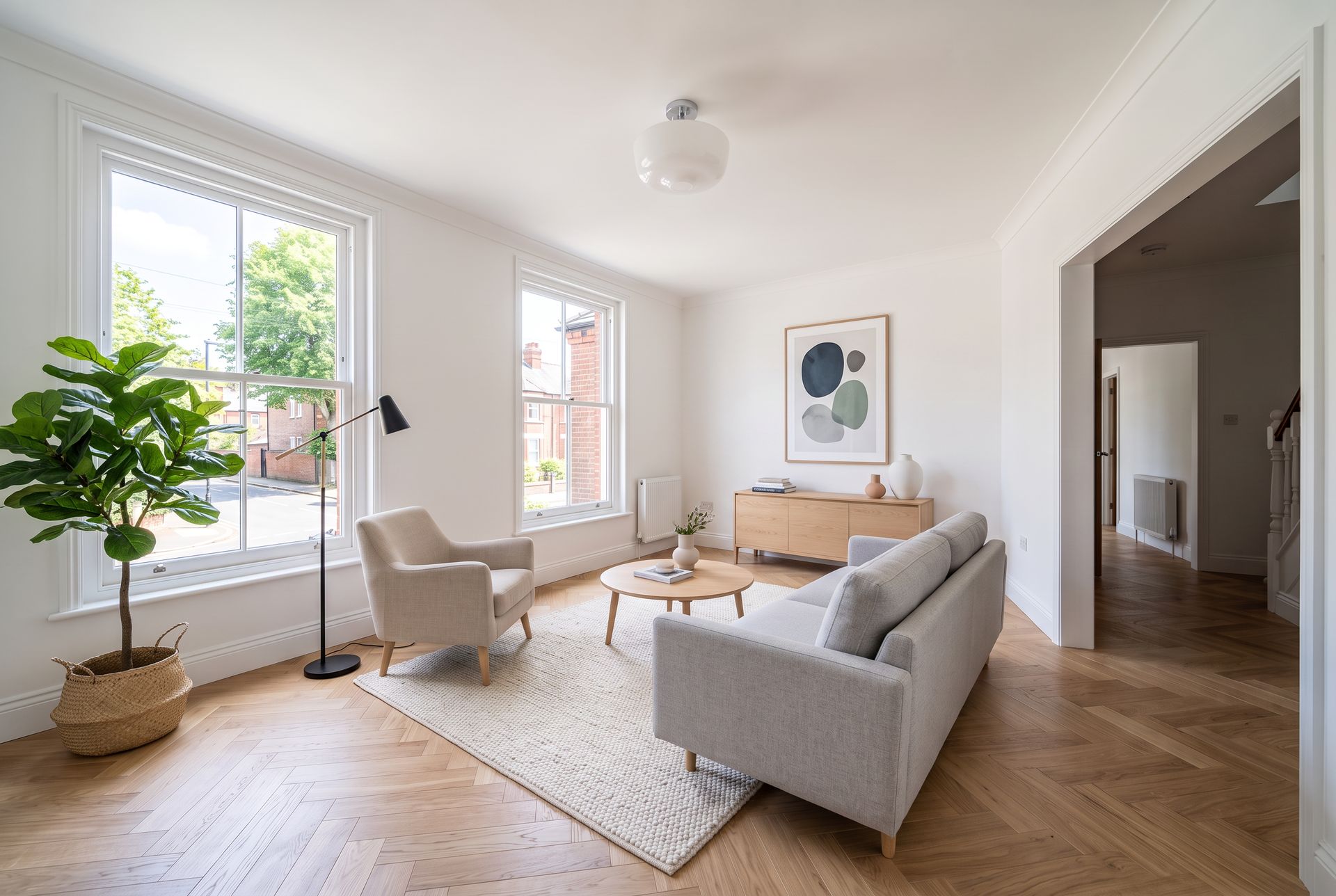
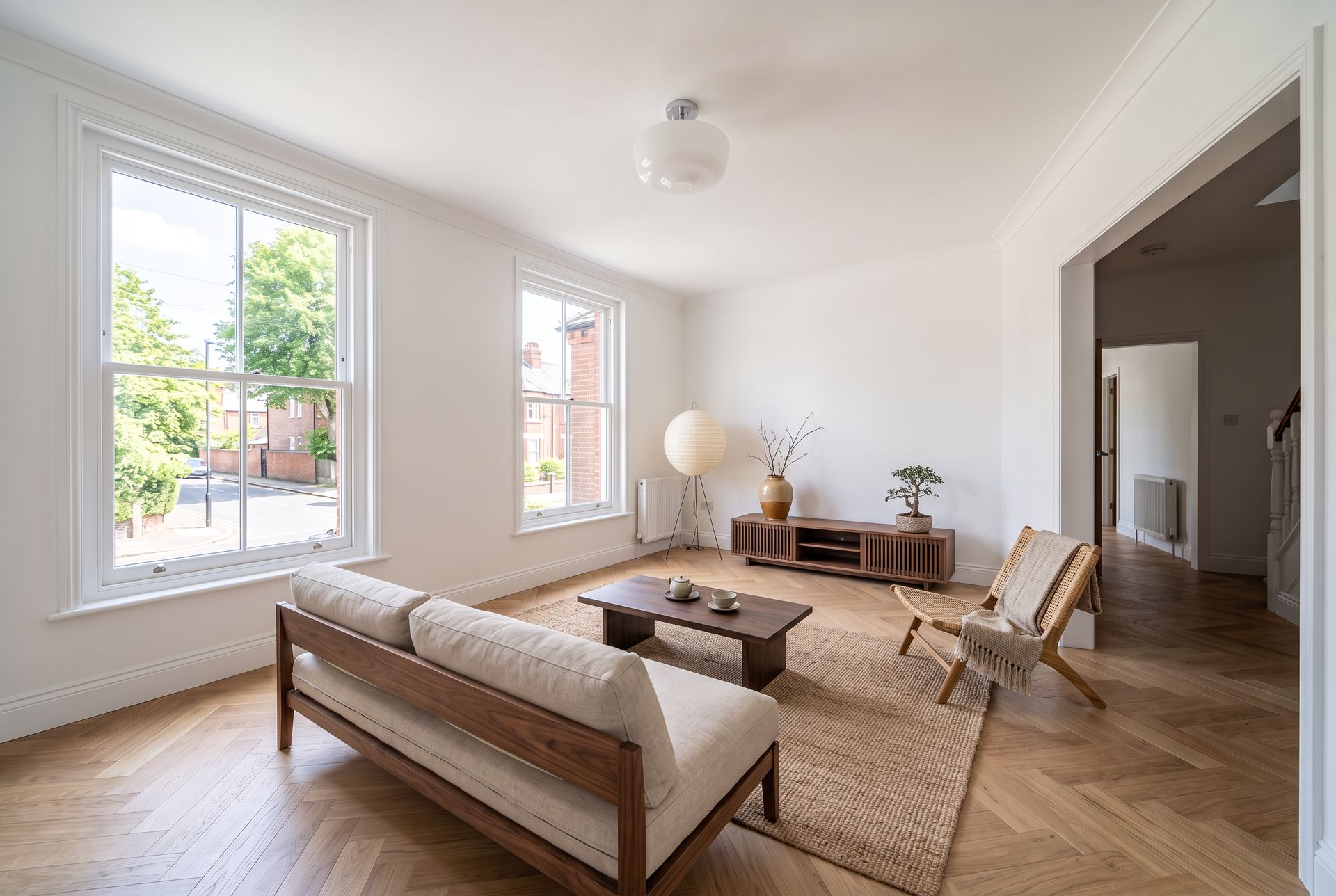
Left: Scandinavian. Right: Japandi. Same empty photo, 15 tokens each.
Bedroom, warm modern:
Virtually stage this empty bedroom. Keep the room exactly as it is: same walls, window, window frame, garden view, built-in wardrobe, floor, ceiling light and camera angle. Do not change the architecture. Add furniture in a warm modern style: a queen size bed against the left wall with an upholstered linen headboard, white and sand colored bedding and a knitted throw, two light oak bedside tables with ceramic lamps, a soft beige wool rug under the bed, a small reading chair near the window, a plant, a framed artwork above the bed. Furniture in realistic scale, sitting naturally on the floor with soft contact shadows. Same soft daylight as the original photo. Realistic real estate photography.
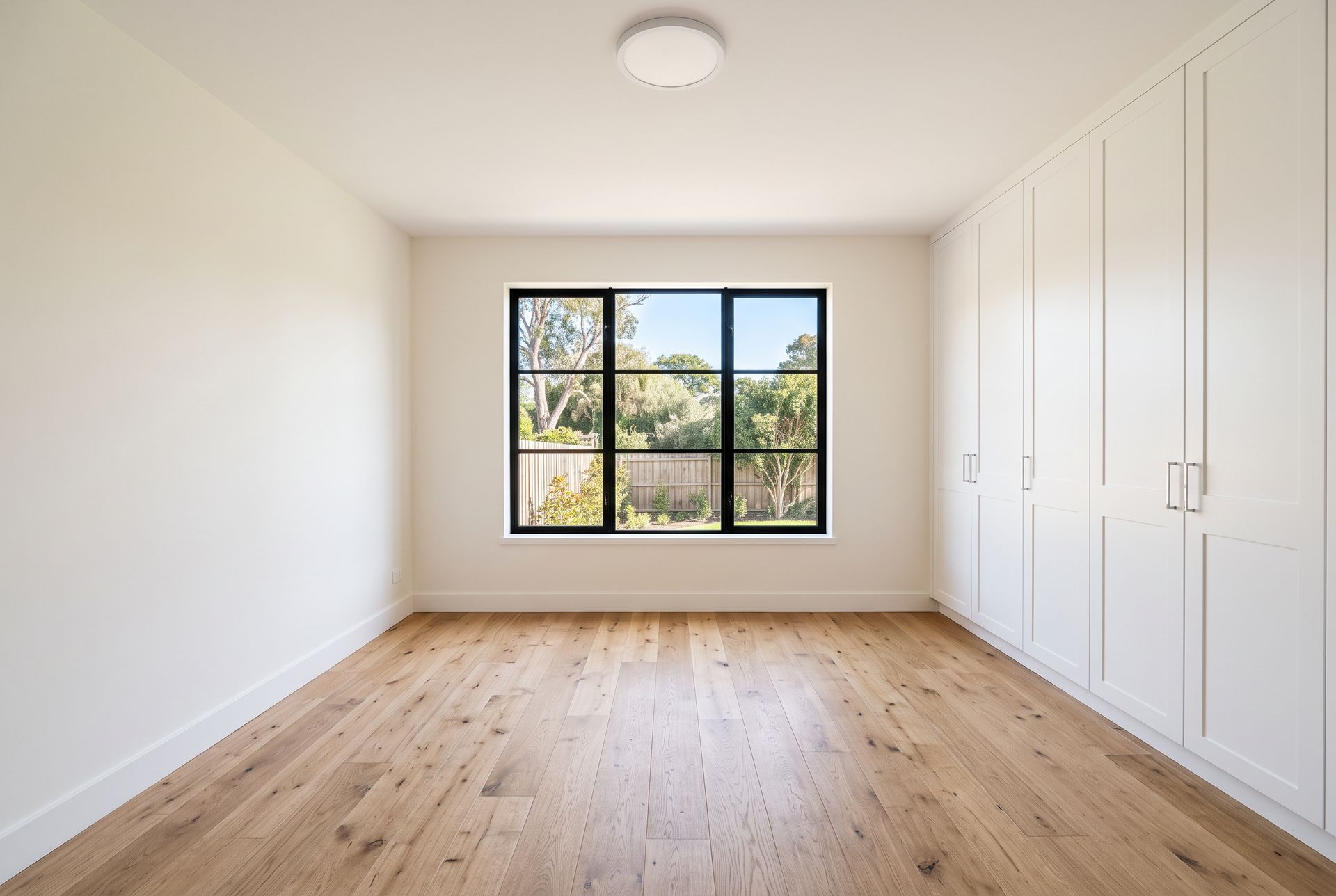
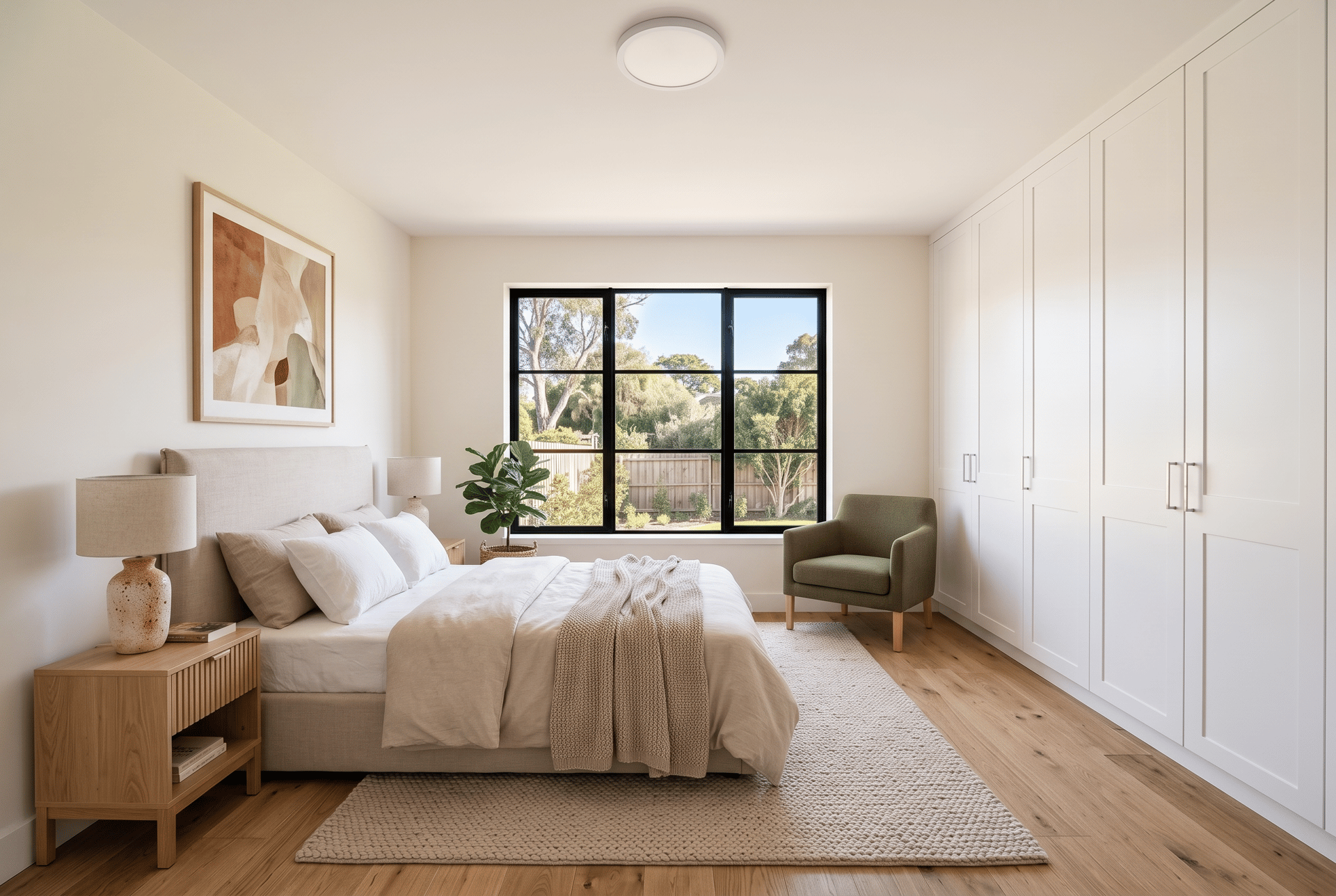
Example photo created for this guide, staged for 15 tokens. The window, garden view and built-in wardrobe stay exactly as they were.
How do I check that the staging is accurate?
A staged photo has to show the real home. Before you publish, compare it with the original and check:
- Architecture: Same walls, windows, doors, ceiling height and built-ins. Nothing added, nothing removed.
- The view: The view through the windows is the real one. Never replace a view of a car park with a garden.
- Floors and finishes: Same flooring, wall color and fixtures, unless you clearly label a renovation idea as such.
- Scale: A sofa should not block a doorway, and a bed should fit the room. Oversized or tiny furniture misleads buyers about the size.
- Shadows: Furniture should sit on the floor with soft shadows, not float.
If something is off, edit the result again with a short prompt, for example: "Make the sofa 20 percent smaller and move it away from the door. Change nothing else."
Do I have to disclose virtual staging?
Often, yes. The rules depend on where you list, and they are getting stricter. Labeling staged photos is the safe default everywhere.
- California: Since January 1, 2026, the law known as AB 723 requires listings to label digitally altered images, for example as "virtually staged", and to include the original, unaltered photos alongside them. According to the CRMLS guidance, this covers images where furniture or appliances are added or removed, and changes to finishes such as wall color or flooring.
- Other markets: Many MLS boards and portals have their own rules. Check the rules of the MLS or portal you publish on before you upload.
A simple habit covers most rules: add "Virtually staged" to each staged photo or its caption, keep the original empty photo in the listing, and only change furniture and decor, never the property itself.
What else can I do with a staged photo?
- Turn it into a video: Space Motion adds a cinematic camera move, ready for Instagram, TikTok or the listing. See our virtual staging video guide.
- Make an evening shot: Relight turns a daytime photo into a warm twilight image. See how to turn a daytime photo into an evening shot.
- Upscale for print: The Enhancer in Precision mode enlarges the photo to 4K without inventing details, for 40 tokens.
- Build a listing video: See how to make a real estate video from listing photos.
Still have questions?
What is virtual staging?
Virtual staging adds furniture and decor to a photo of an empty room, without changing the room itself. Real estate agents use it for listings, developers for new builds and interior designers to show clients what a space could become.
How much does AI virtual staging cost?
In Lupa AI, staging one photo costs 15 tokens at 2K (10 at 1K, 20 at 4K). Human virtual staging services usually charge about $16 to $49 per photo, and physical staging means renting furniture for every month the home is listed.
Do I have to disclose virtually staged photos?
Often, yes. In California, AB 723 has required since January 1, 2026 that digitally altered listing photos are labeled and shown next to the original. Many MLS boards and portals have their own rules, so label staged photos and keep the originals in the listing.
Can AI virtual staging change the room?
It can if the prompt is vague. Tell the model to keep the walls, windows, floor, fixtures and camera angle, name the room's fixed features, and compare the result with the original before you publish.
Which rooms work best for virtual staging?
Empty living rooms, bedrooms and dining rooms photographed from a corner in daylight work best. Rooms full of boxes or shot flat against one wall are harder to stage believably.
Can I turn a virtually staged photo into a video?
Yes. Space Motion in Lupa AI turns a staged photo into a short cinematic camera move for listings and social media.